
 SerialSnap
Scan a serial, set its MDM.
Look up any device in Apple School Manager or Apple Business from your iPhone or iPad, and assign, change or migrate its MDM on the spot.
Why SerialSnap
Fix a device's assignment where the device is
A device with the wrong MDM usually means a trip back to a desk and Apple's portal. SerialSnap fixes it from the cart, the loading dock or the classroom.
- Works with Apple School Manager and Apple Business (formerly Apple Business Manager)
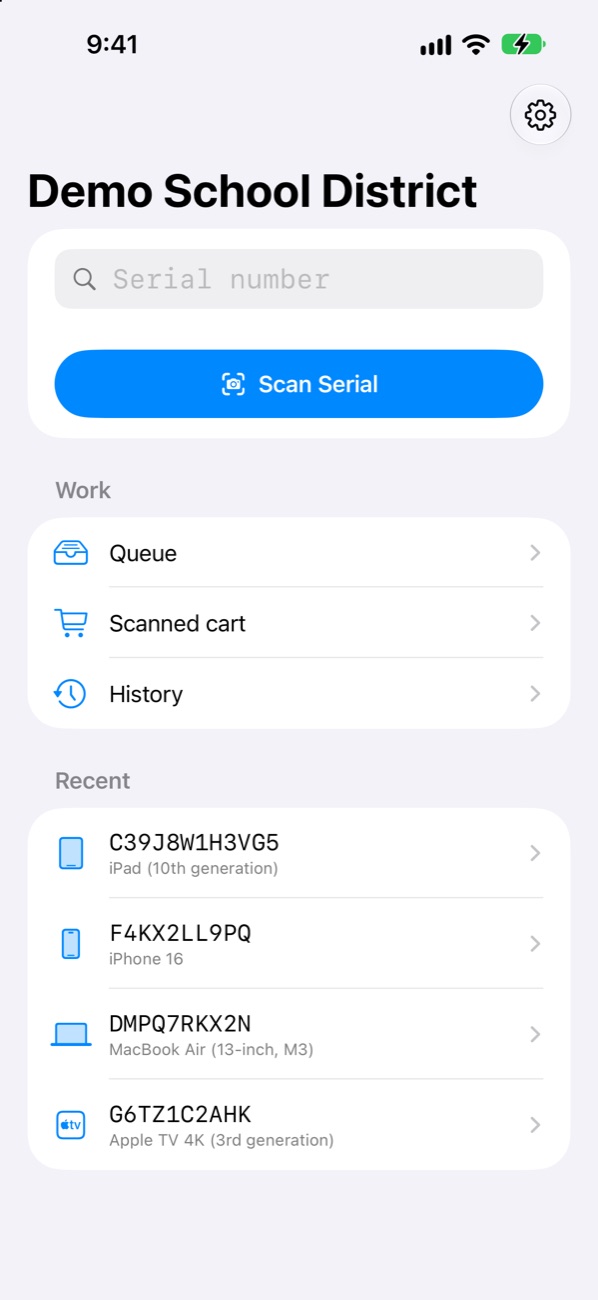
- Reads serials from the camera, a barcode or a photo of the label
- Moves devices between any MDMs your organization has added: Jamf Pro, Intune, Kandji and the rest
- Talks only to Apple, with your organization's own API account
Features
Everything Apple's device API can do, in your pocket
Scan, Photo or Type
Read a serial from a label, a barcode or a photo, or just type it.
The Full Record
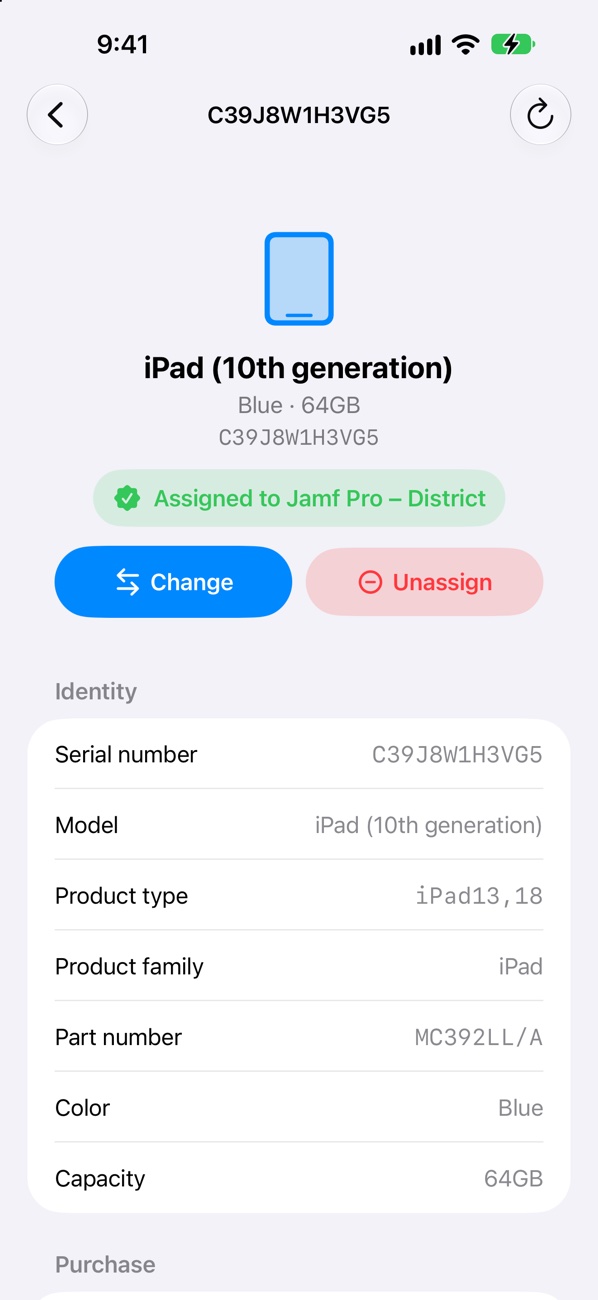
Model, capacity, purchase source, AppleCare coverage and an Activation Lock check.
Assign, Change, Unassign
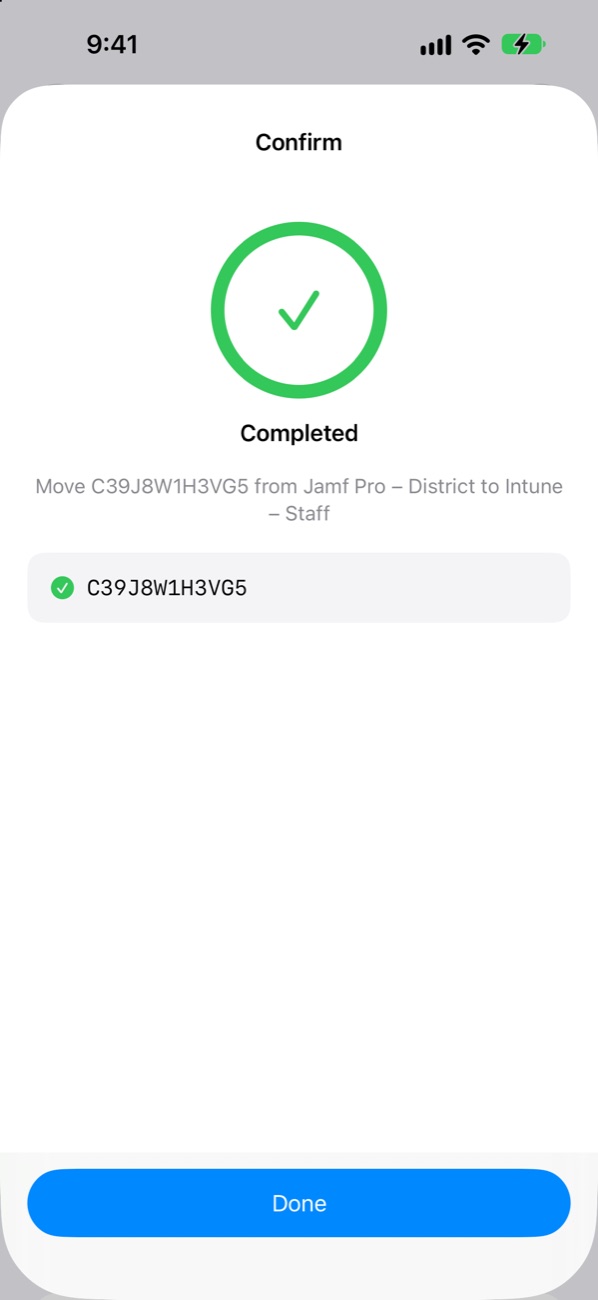
Move a device to another service in two taps, with a clear confirmation.
Migration Deadlines
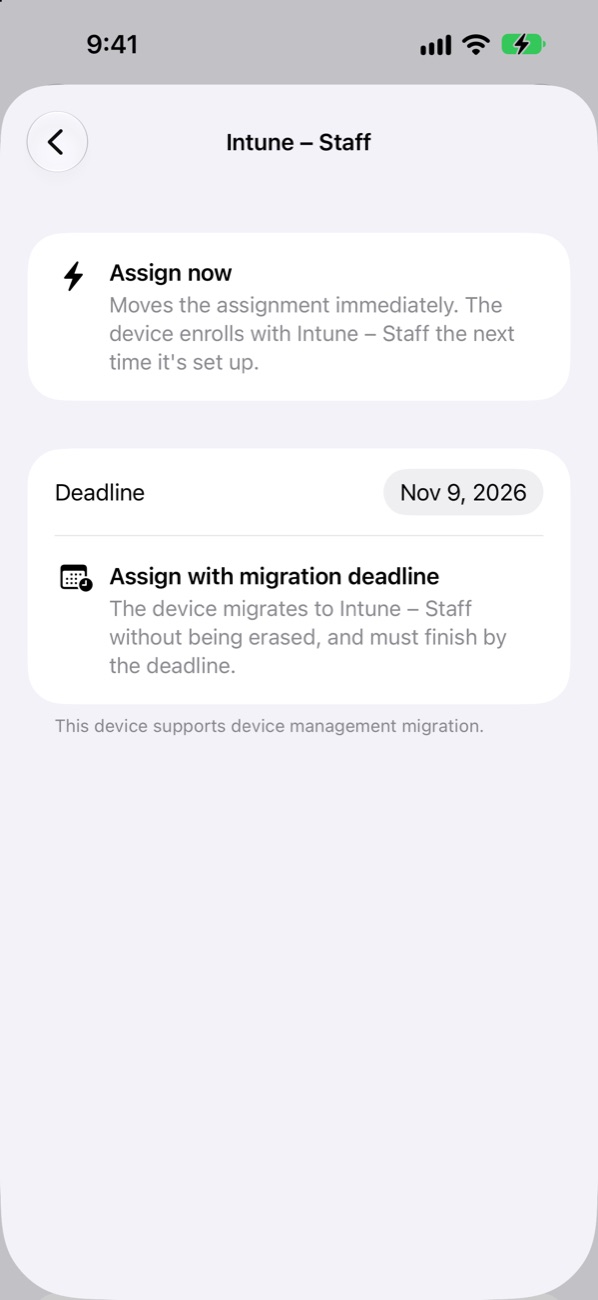
Move supported devices to a new MDM by a deadline, without erasing them.
Batch Scanning
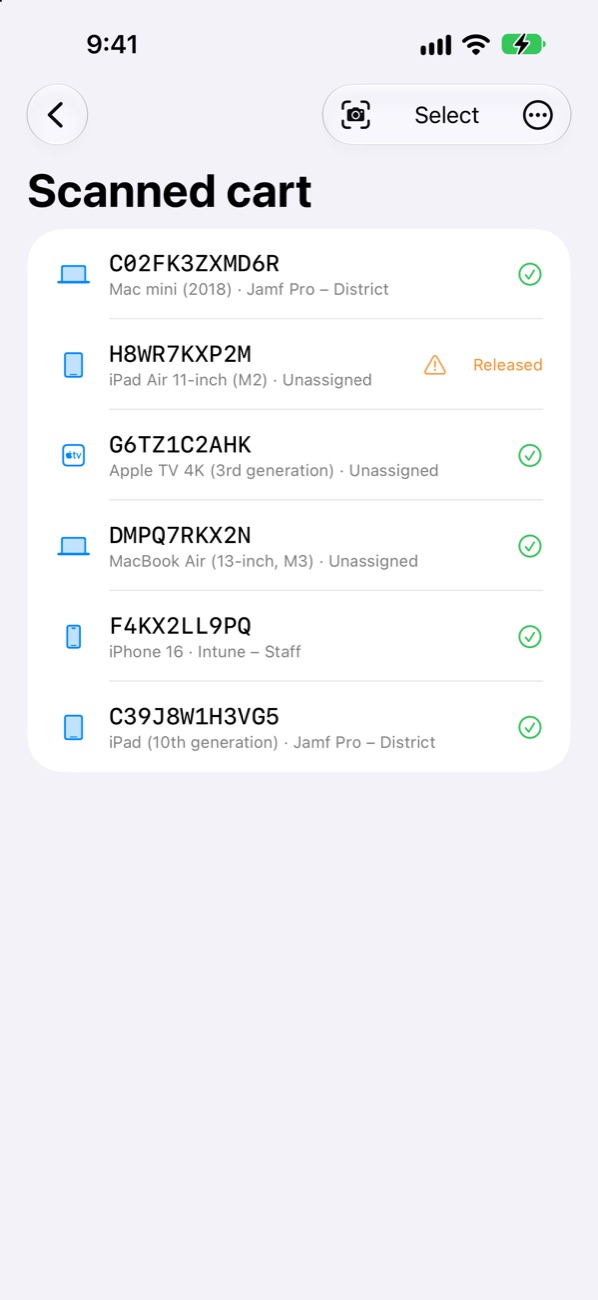
Scan a whole cart, then assign every device in one request. Part of Pro.
Queue and History
Queue changes for one request. Every change is logged with the technician's name, exportable as CSV.
Access on Each Device
Hand an iPhone to a technician, not the keys to the org
An admin sets what each iPhone or iPad can do, protected by a local PIN. It's separate from roles in Apple's portal.
Viewer
Look up devices and read their records. Nothing can be changed.
Technician
Everything a Viewer can do, plus assigning, changing and queuing.
Admin
Connections, settings and access levels, behind the admin PIN.
Changes that might already have reached Apple are never sent twice, and a device that moved since it was queued is flagged before anything is sent.
Private by Design
No servers. No accounts. Just you and Apple.
No backend, analytics, advertising or tracking. Requests go straight from your device to Apple, signed with your organization's key.
- The private key lives in this device's Keychain, never synced to iCloud, unlocked with Face ID or Touch ID
- Camera images and photos are read on the device and never saved or uploaded
- The queue, history and recent searches stay on the device
Pricing
Free for the odd device. Pro for the whole cart.
Every feature except batch scanning is free, with three lookups a day. Pro removes the limit.
Free
$0No account needed
- 3 device lookups a day
- Assign, change, unassign and migrate
- Queue, history and access levels
- Demo mode with every Pro feature
SerialSnap Pro
$1.99/moor $19.99 a year, with a 7-day free trial
- Unlimited device lookups
- Batch scanning: scan a cart, assign in one request
- Everything in Free
- Manage or cancel any time in your Apple Account
Setup
Connected in a few minutes
- An Administrator in Apple School Manager, or an Organization Administrator in Apple Business, creates an API account and downloads its private key.
- Open the admin setup page and turn the Client ID, Key ID and key into a setup QR code, optionally locked with a passcode. It runs entirely in your browser.
- In SerialSnap, tap Add organization and scan the code. Or let your MDM send the organization details as a managed app configuration, and add just the key.
Just looking? Tap Try demo mode on the Welcome screen to explore with sample devices, no organization needed.
Requirements
- iOS 18 or iPadOS 18 and later
- Apple School Manager or Apple Business
- An API account created by an administrator
- A camera for live scanning (typing and photos work everywhere)
SerialSnap is an independent app and isn't affiliated with or endorsed by Apple.
Put Apple's device portal in your pocket
Set up your organization's API account, or talk to us about rolling it out.